
In the rapidly evolving world of blockchain technology, user authentication plays a crucial role in ensuring seamless yet secure interactions with decentralized applications (dApps). If you've encountered a login prompt from an app like XPRHub, which uses the XPR Network Web SDK (formerly Proton Web SDK), you might wonder: What exactly is happening behind the scenes? Is it safe to authorize access to your public account information, and could this expose your wallet or funds to risks? In this blog post, we'll explore these questions in detail, focusing on the XPR Network (formerly Proton), the Web SDK's mechanics, and key security considerations. We'll also address common concerns about scams and account compromises, drawing from reliable sources to provide a balanced view.
What is the XPR Network Web SDK and How Does It Work?
The XPR Network Web SDK is an open-source tool developed by the XPR Network team, designed to connect frontend web applications to XPR Network-compatible wallets. It enables developers to build user-friendly interfaces for interacting with the XPR Network blockchain, which is a layer-1 proof-of-stake network optimized for consumer applications, peer-to-peer payments, and features like instant transactions with zero gas fees. The XPR Network emphasizes human-readable usernames (e.g., @yourname), on-chain identity verification, and biometric authentication to make blockchain accessible without sacrificing security.
- Phishing and Malicious Apps: The biggest risk isn't the SDK or wallet itself but fake or compromised apps mimicking legitimate ones like XPR Hub. If you authorize—or scan a QR code from—a scam site, it could trick you into approving fraudulent transactions (e.g., draining your wallet by proposing a transfer to a hacker's address). Scanning a QR code from a trusted site is safe, as it simply triggers a secure deep link in your WebAuth app to authenticate the session without exposing keys. However, if the QR code is from a phishing site, it could lead to a malicious dApp that prompts deceptive approvals. Always verify the URL (e.g., ensure it's https://xprhub.org/ and not a lookalike) and use official links. To check site legitimacy, you can use https://xprotect.org, a Web3 security service that scans domains, assigns trust scores (higher score means lower risk), and blocks access to known malicious sites like phishing or scam domains. It protects against Web3-specific threats and is particularly useful for XPR Network users.
- Transaction Approval Mistakes: Once authorized, a malicious app could spam you with deceptive transaction requests. If you're not vigilant and approve one by accident, funds could be lost. However, this requires your active confirmation - private keys aren't shared, so passive hacks (like key theft) aren't possible through authorization or QR scanning alone.
- Smart Contract Vulnerabilities: If XPR Hub or similar apps interact with flawed smart contracts on the XPR Network chain, there could be exploits. But the network's WASM-based contracts are designed for high security, and audits are common in reputable ecosystems. User funds aren't at risk unless you approve a bad interaction.
- Device-Level Threats: If your device is compromised (e.g., malware stealing biometrics), any wallet app could be vulnerable. The XPR Network mitigates this with features like AI breach protection and recommends using mobile apps for added isolation.
When an app like XPRHub requests authentication via the XPR Network Web SDK, it's essentially asking for permission to link your wallet to its services. Based on the typical authorization screen, the app seeks access to:
- Public Account Information: This includes your username, address, avatar, and other non-sensitive profile details that are already publicly visible on the blockchain.
- Transaction-Related Permissions: The app can "make transaction requests" and "view public transaction history." This means it can propose actions (e.g., sending tokens or interacting with smart contracts) on your behalf, but crucially, it cannot execute them without your explicit approval.
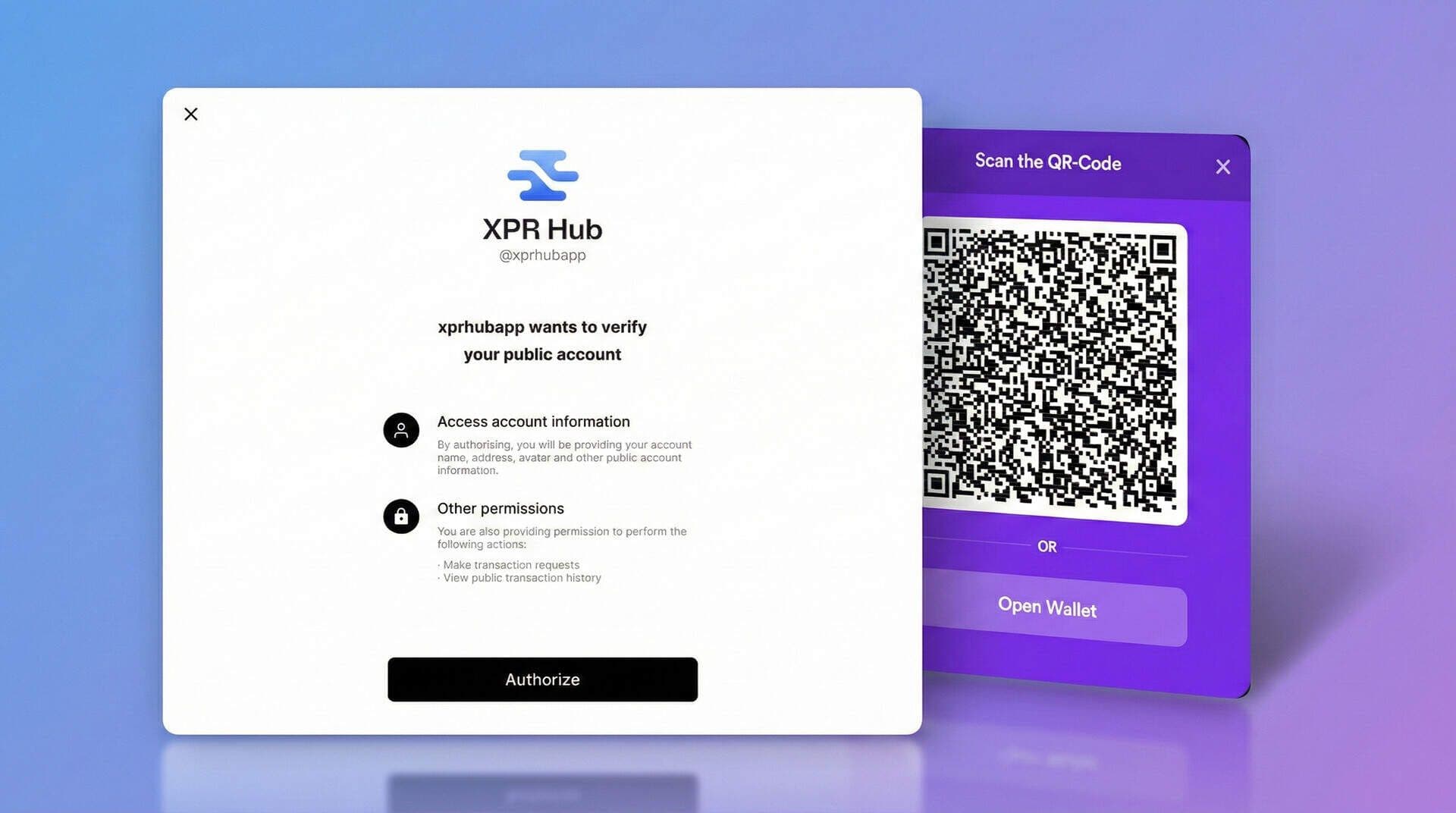
In essence, authorizing the app creates a secure session where the dApp can interact with your wallet's public features. The XPR Network ecosystem, including tools like WebAuth Wallet, uses advanced biometrics (e.g., fingerprint or face ID) for transaction approvals, ensuring that sensitive operations require your direct consent. This setup is similar to how OAuth works in traditional web apps, but tailored for blockchain with an emphasis on decentralization.
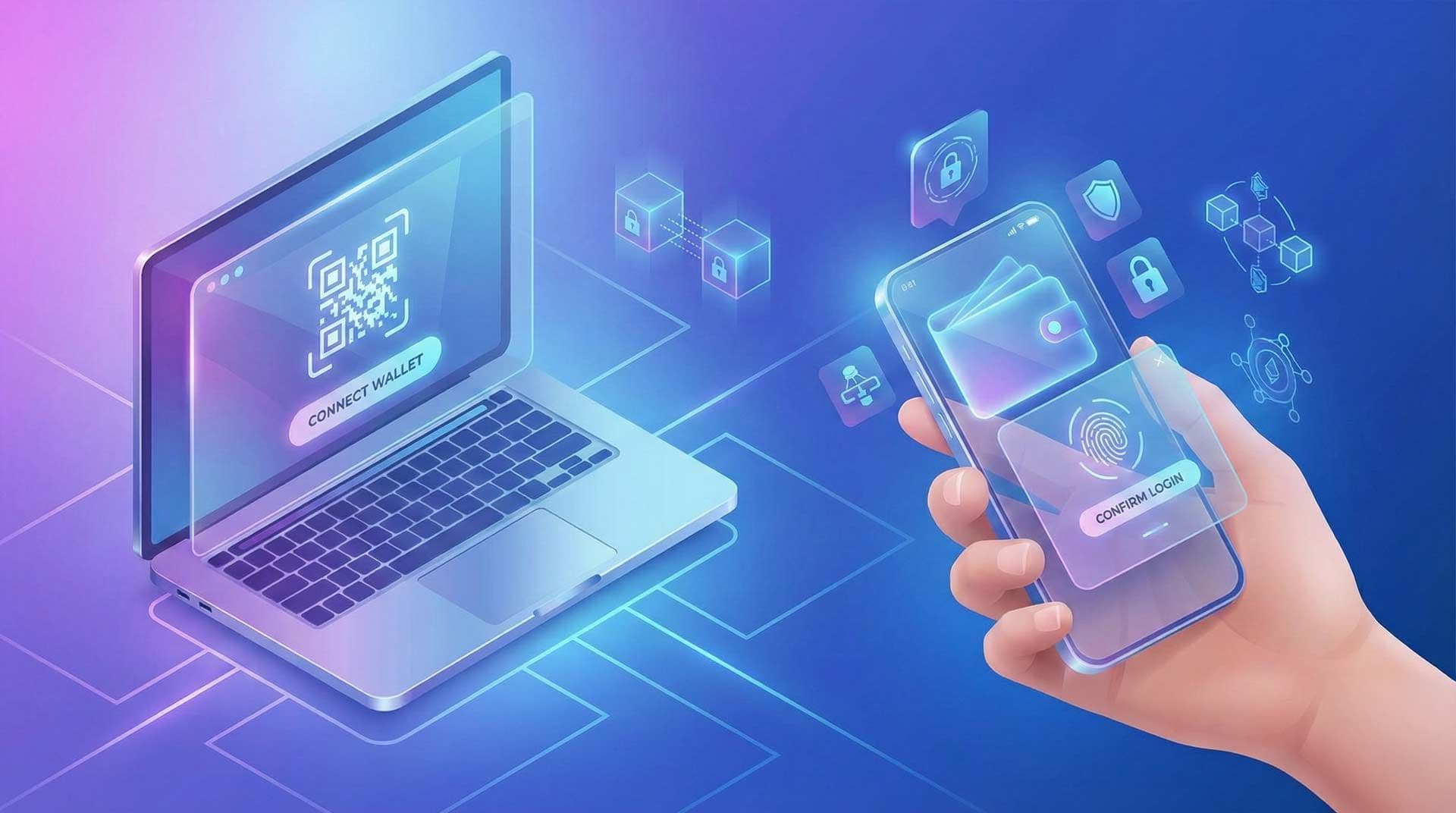
For login, especially on desktop or browser, users often encounter options to connect via mobile, browser, or desktop. A common method is scanning a QR code displayed on the site using the WebAuth Wallet app on your mobile device. This QR code contains a secure link that initiates the authentication process, allowing the wallet to verify and approve the connection without transmitting private keys.
XPRHub itself is a centralized community platform within the XPR Network ecosystem, featuring tools like AskHub for Q&A and integrations for ecosystem updates. It uses the XPR Network Web SDK for wallet logins to enable features like personalized interactions or token-related activities without requiring users to share private keys.
Is Authorizing Via WebAuth Wallet Secure?
Yes, logging in via the WebAuth Wallet is generally secure when dealing with legitimate apps, thanks to the underlying architecture of the XPR Network and its self-custodial wallet model. Here's a breakdown of the security features:
- Self-Custodial Design: WebAuth Wallet is non-custodial, meaning you retain full control over your private keys. Neither the app (e.g., XPR Hub) nor the XPR Network team can access your funds or execute transactions without your approval. This contrasts with centralized exchanges where a hack could lead to widespread losses.
- End-to-End Encryption and Biometric Protection: The SDK leverages end-to-end encryption to protect data in transit. Transaction requests are signed using your device's biometrics or passphrase, adding a layer of hardware-based security that makes unauthorized access extremely difficult. Even if an app is compromised, it can't bypass this step to steal funds.
- Permission Scoping: Authorizations are granular. For instance, granting access to "make transaction requests" doesn't hand over blanket control. Each request must be reviewed and signed by you. Public transaction history is already blockchain-visible, so viewing it doesn't introduce new risks.
- Blockchain-Level Security: The XPR Network uses proof-of-stake consensus with block producers validating transactions, ensuring network integrity. Features like on-chain identity help prevent impersonation, and the absence of gas fees reduces incentives for spam attacks.
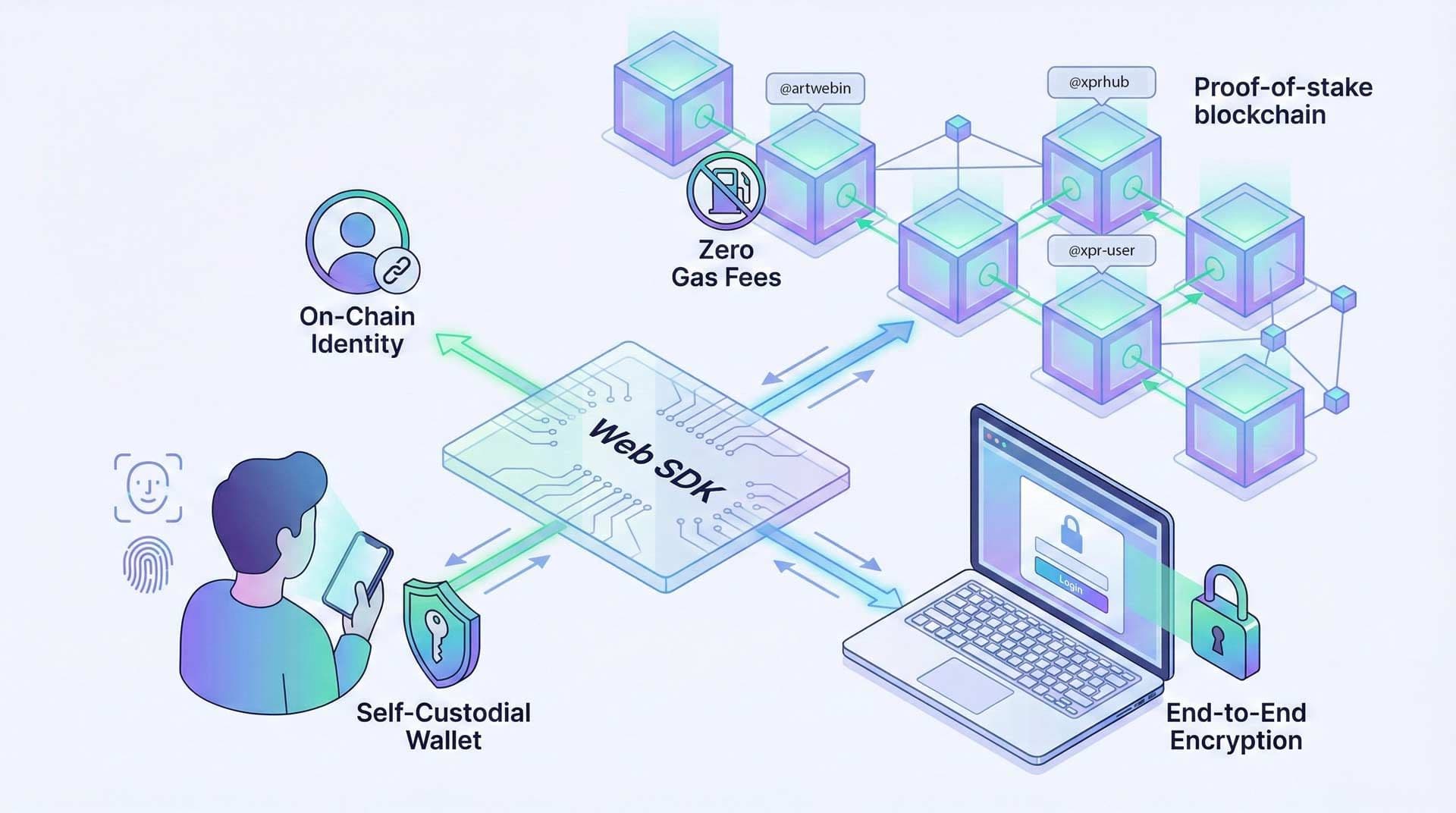
In practice, when you hit "Authorize" on a prompt like the one from XPRHub or scan the QR code, the app establishes a session link. It can then query your public info or propose actions, but nothing happens until you confirm. This process is documented in developer guides, where the SDK is praised for enabling secure, intuitive integrations.
Potential Risks: Could This Compromise Your Account or Funds?
While the WebAuth Wallet and XPR Network Web SDK are built with security in mind, no system is entirely risk-free, especially in the scam-prone world of crypto. Here's an honest look at potential vulnerabilities and how they might affect your WebAuth account, with a special focus on QR code scanning:
Importantly, authorizing a legitimate app like XPRHub or scanning its QR code doesn't enable direct hacks or fund theft. Scammers can't steal funds without your approval, as the SDK and wallet don't expose private keys. However, in today's environment of sophisticated scams (e.g., phishing links that auto-connect wallets or fake QR codes), user awareness is key.
Building Trust: Best Practices for Safe Authentication
To minimize risks and build confidence:
- Verify the Source: Only authorize or scan QR codes from trusted domains like xprhub.org. Check for HTTPS and official endorsements from the XPR Network. Use https://xprotect.org to scan and verify the site's trust score before proceeding.
- Review Permissions Carefully: Read what the app is requesting. If it asks for more than needed (e.g., unnecessary transaction powers), deny it.
- Use Hardware Security: Enable biometrics and two-factor authentication (2FA) on your WebAuth account for extra layers.
- Monitor Activity: Regularly check your transaction history via official wallets like WebAuth.
- Stay Informed: Follow XPR Network updates and community forums for any reported issues.
In conclusion, logging in via the WebAuth Wallet is safe for verified apps like XPRHub, as it prioritizes user control and encryption without compromising your private keys. The authentication process, including QR code scanning, empowers dApps to enhance user experiences while keeping risks low, provided you're cautious about what you authorize and verify site legitimacy with tools like xprotect.org. In an era of frequent scams, this vigilance is essential, but the XPR Network ecosystem's design makes it a trustworthy choice for blockchain interactions. If you have more questions about XPRHub or XPR Network security, feel free to check out the Q&A section - AskHub!